

So, you have several buildings and within each, several units. Perhaps you are wondering how to best classify them within QuickBooks. One of our clients recently asked the following question. We think our response might be helpful.
Q: What is the best way to use classes to track several rental apartments in one building?
A: Honestly, We do NOT suggest using classes to track units at all. If you manage multiple properties, each with multiple units, the class list could become cumbersome to work with.
Instead, add each unit as a Job of the property. This will keep your property owners and tenants organized in the Customer Center.
To add each Unit as a Job, open the Customer Center, right-click on the property, and select Add Job.
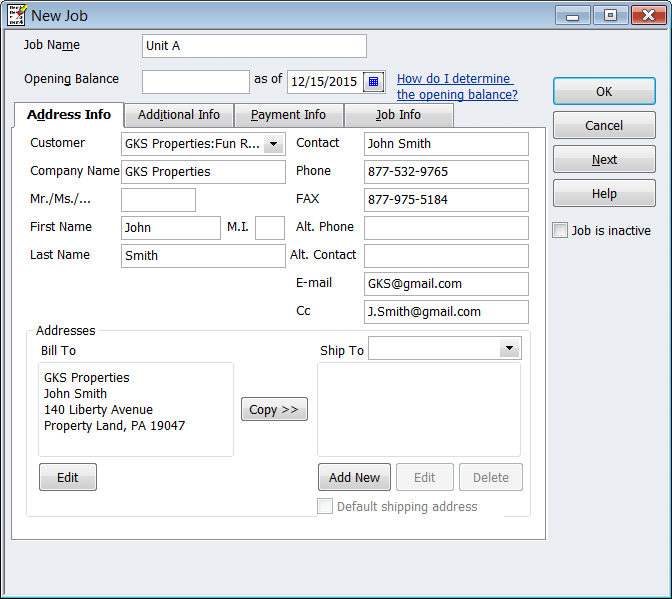
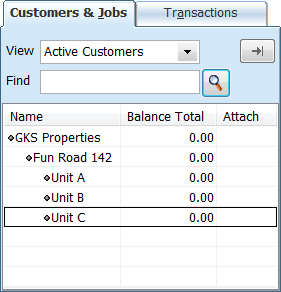
When you add property owners, properties, and even tenants, adding the units or apartments as a Job will keep your financial and management data organized. The screen below shows how your Customer List should look after adding property owners, properties,and units.
As always, feel free to contact us if you have any questions about setting up and managing names within QuickBooks, or generally, about using QuickBooks to manage your real estate business.